|
<< Click to Display Table of Contents >> Unlock |
  
|
|
<< Click to Display Table of Contents >> Unlock |
|
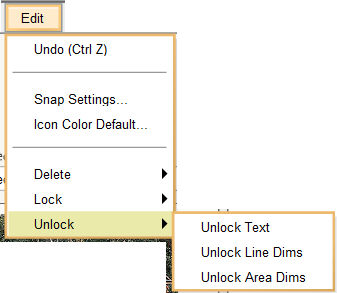
The Unlock commands unlock the objects that have been locked using the lock-by-type commands. The locked objects cannot be manipulated or modified unless they are unlocked.
The Unlock Commands available are:
You will be unlocking all the objects belonging to the selected type on the plan. You cannot use this command to unlock individual objects.
| 1. | Select Unlock from the Edit Menu. |
| 2. | A pop-out sub-menu with all the unlock-by-type commands listed will be displayed to the right. |